BLOGS
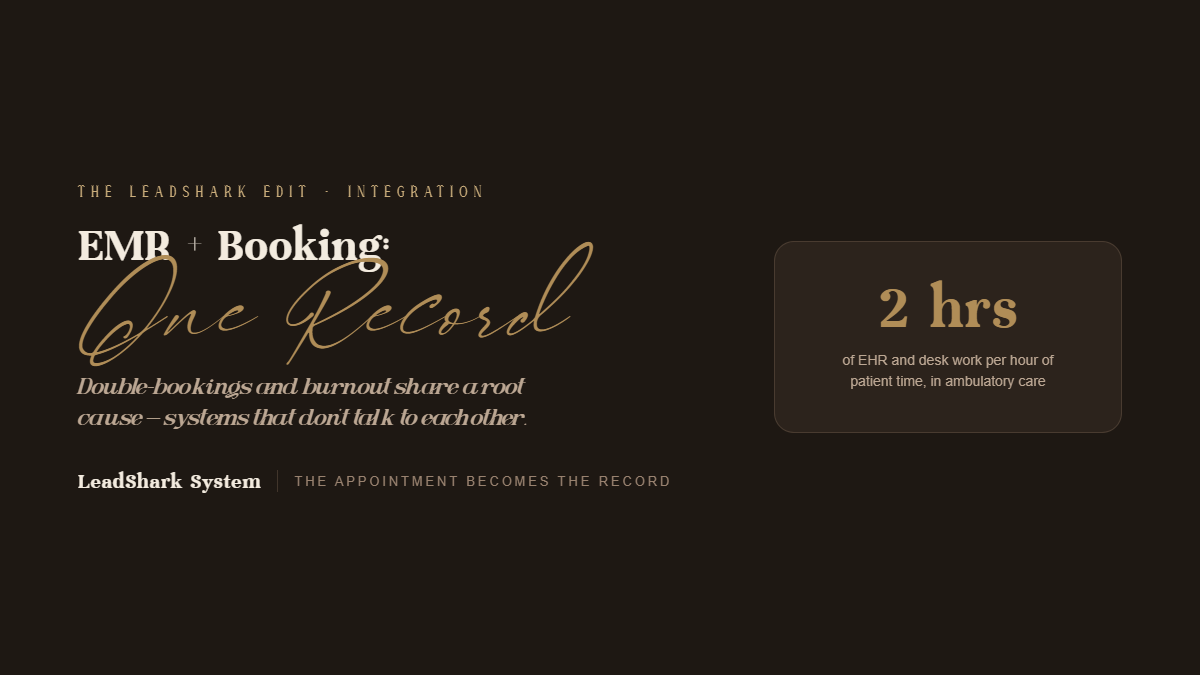
What to Know
- Most double-bookings stem from system limits, not staff mistakes. Schedule conflicts happen automatically when booking software ignores staff qualification, room setups, or cleanup times.
- Disconnected systems cause manual overhead. Re-entering patient details, chasing paper forms, and charting late fuel team burnout.
- Integration connects appointments directly to records. Unifying booking, intake, charting, and inventory automates every step from start to finish.
Many MedSpas rely on disconnected software for booking, charting, consent forms, and inventory. This creates gaps where bookings overlap, records go missing, and staff waste hours manually transferring data.
Why Do Double-Bookings Happen in MedSpas?
MedSpa appointments depend on several resources at once. Disconnected systems can’t see all of them.
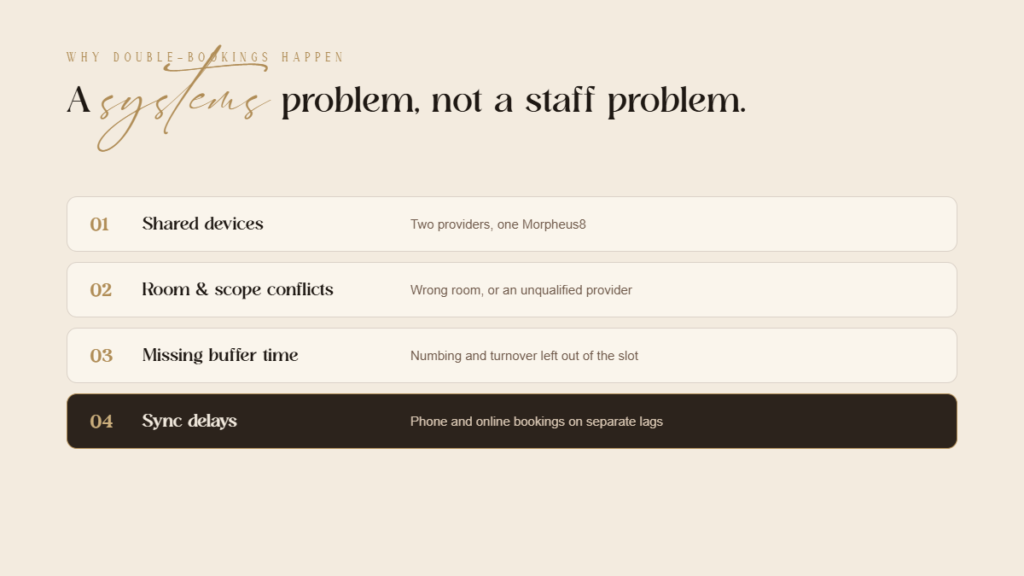
Common causes:
- Shared devices: Two providers book Morpheus8 at the same time when the practice owns one device
- Room conflicts: A laser treatment is booked into a room without the right equipment
- Staff roles: An aesthetician is scheduled for a treatment that requires a licensed injector
- Missing buffer time: Numbing, room turnover, and documentation time aren’t built into the slot
- Manual entry errors: Phone bookings entered separately from online bookings
- Sync delays: Booking platforms and calendars that update on a lag
How Does Integration Prevent Scheduling Conflicts?
An integrated platform treats providers, rooms, and devices as linked resources and applies rules at the moment of booking.
What changes:
- Device and room availability is checked automatically for each service
- Staff qualifications map to specific treatments so only eligible team members are open for booking
- Service-specific buffers account for numbing, treatment, and turnover
- Online, phone, and in-person bookings all write to the same live schedule
- Clinical flags from the chart (such as a recent filler appointment before an energy-based treatment) can surface during scheduling
How Do Disconnected Systems Contribute to Burnout?
Documentation burden is one of the most studied drivers of burnout in healthcare. A widely cited time-and-motion study found that physicians in ambulatory practice spent nearly two hours on EHR and desk work for every hour of direct patient time. MedSpa providers face a version of the same problem, made worse when systems don’t talk to each other.
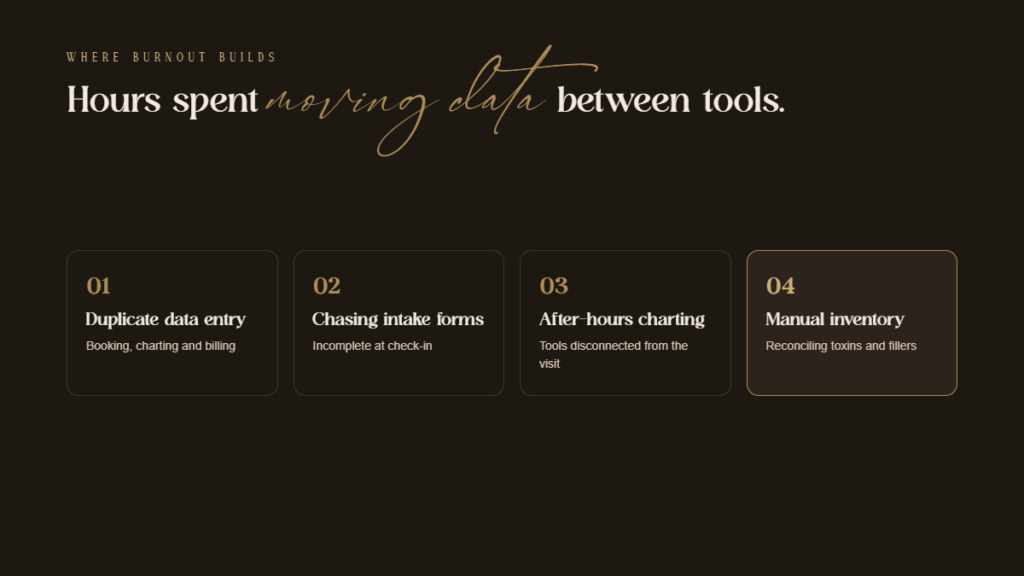
Where the time goes:
- Duplicate data entry across booking, charting, and billing systems
- Chasing incomplete intake forms at check-in
- Charting after hours because documentation tools are slow or disconnected from the appointment
- Manually reconciling inventory for toxins and fillers
- Front desk juggling between screens to confirm availability, deposits, and patient history
- Locating photos stored outside the patient record
What Does an Integrated Workflow Look Like?
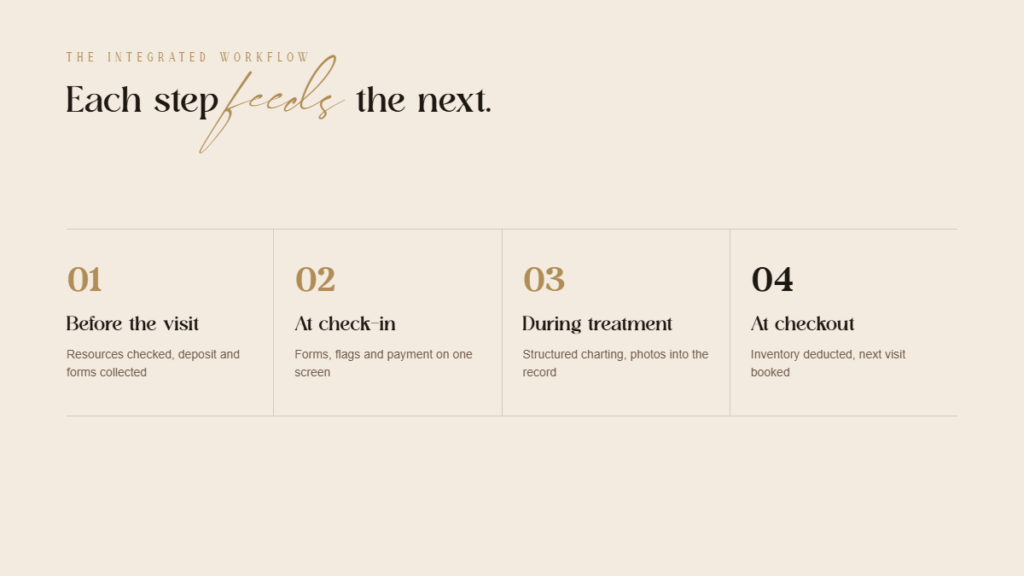
Before the visit: The patient books online. The system checks provider, room, and device availability, collects a deposit, and sends digital intake and consent forms that attach directly to the chart.
At check-in: Front desk staff view finished forms, medical warnings, and payment status together on one dashboard.
During treatment: The provider opens the chart from the appointment, documents product, units, lot number, and device settings in structured fields, and captures before/after photos directly into the record.
At checkout: Product used is deducted from inventory, payment is processed, and the next appointment is booked based on the treatment interval.
After the visit: Aftercare instructions and a follow-up check-in message go out automatically.
What Measurable Benefits Should Practices Expect?
- Fewer scheduling conflicts from automated resource checks
- Shorter check-in times with forms completed in advance
- Faster, more complete charting using treatment-specific templates
- More accurate inventory from automatic product deduction
- Less after-hours work for providers
- Better data for reporting on utilization, rebooking, and provider productivity
What Should Practices Consider When Integrating?
One platform vs. connected platforms: An all-in-one system eliminates sync issues but may offer less specialized charting. Connected best-of-breed tools offer depth but require reliable integrations.
HIPAA obligations: Every system and integration that touches patient data must be covered by a Business Associate Agreement.
Data migration: Moving historical charts, photos, and patient records requires planning and verification.
Staff training: Integration only reduces burnout if the team is trained on the new workflows and leadership retires the old workarounds.
The Bottom Line
Double-bookings and burnout often share a root cause: systems that don’t communicate. Integrating EMR and booking turns each appointment into a single connected record that carries information from booking through follow-up, so staff stop doing the work of moving data between tools.
Practices that consolidate their clinical and scheduling workflows protect revenue from scheduling errors, improve documentation quality, and give providers back time that disconnected systems were quietly consuming.
Key Takeaways
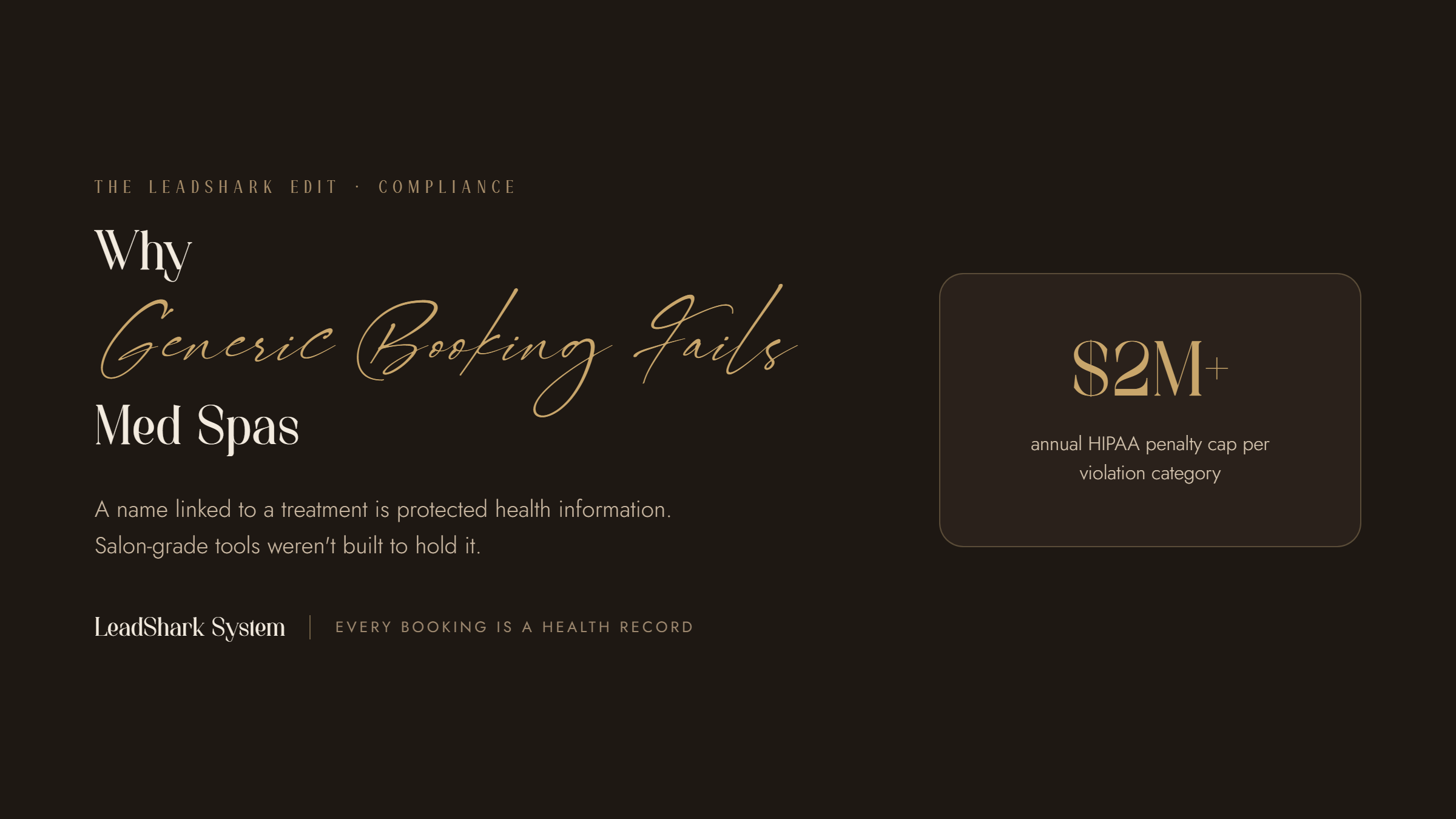
- Bookings are medical records: Connecting a client’s name to a clinical treatment creates sensitive protected health data.
- Generic software risks fines: Standard booking systems rarely sign legal privacy agreements, creating immediate compliance liabilities.
- Protection extends beyond scheduling: Intake forms, text alerts, patient photos, and staff permission settings all require legal privacy safeguards.
Why it matters: Medical spas often use standard salon scheduling tools. Because MedSpas handle clinical procedures, these generic tools trigger major legal privacy risks.
When Does Booking Data Become Sensitive Health Information?
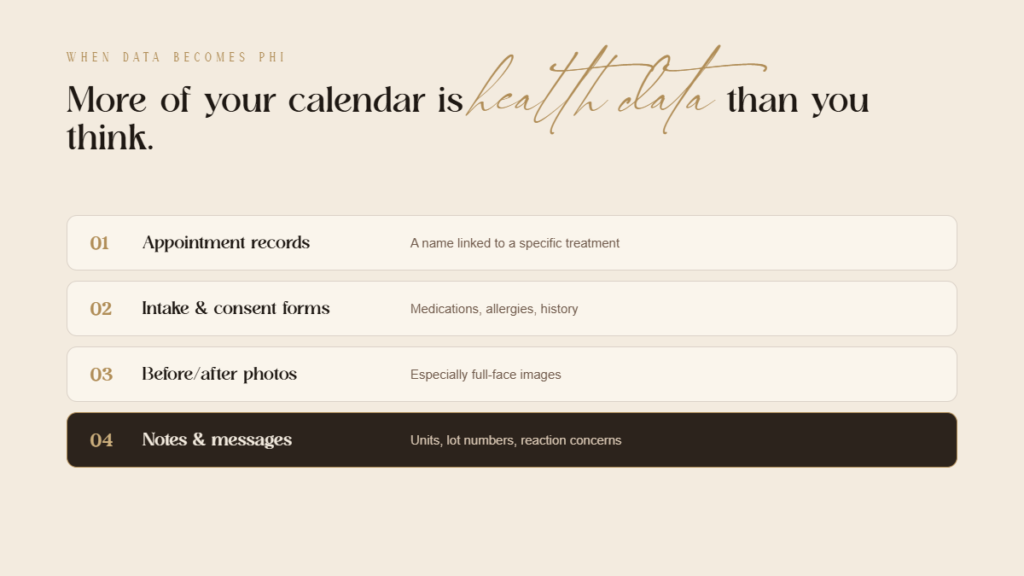
The big picture: Protected health information includes any personal details tied to medical treatments stored or sent by a practice.
Common examples:
- Appointment records connecting a patient’s name to a specific procedure
- Intake forms detailing medications, allergies, health history, or pregnancy status
- Consent forms for specific procedures
- Client photos, particularly full-face treatment photos
- Treatment notes, dosage amounts, and product batch numbers
- Messages in which patients discuss reactions or concerns
Why Are Legal Vendor Contracts Essential?
The takeaway: Software providers handling patient data must sign a formal Business Associate Agreement (a mandatory legal privacy contract) to protect the business.
What the vendor contract requires:
- Binds vendors to follow strict federal health privacy standards
- Mandates prompt reporting of any data leaks or breaches
- Limits how the vendor can use and disclose patient data
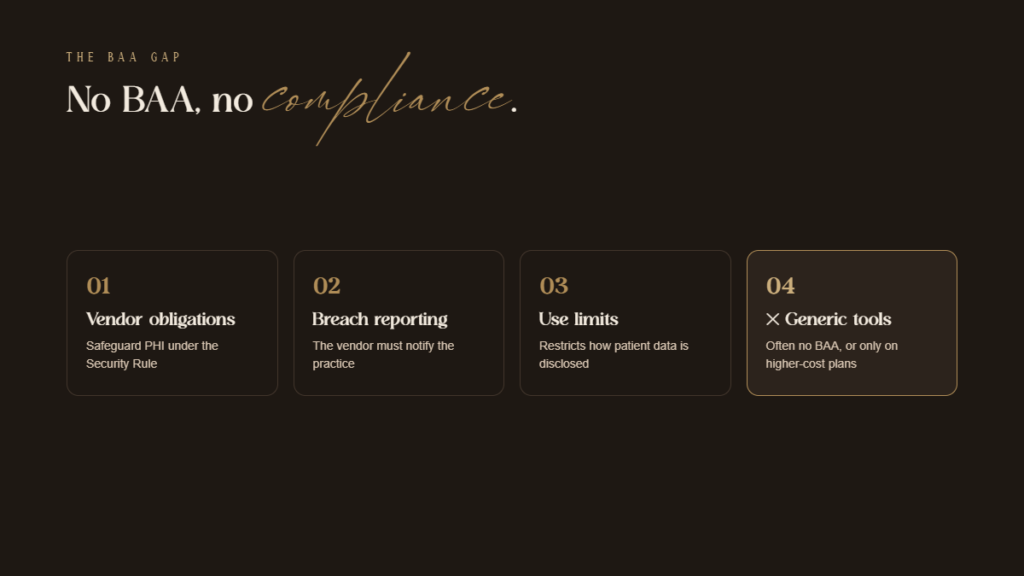
The issue: Generic scheduling software rarely offers these mandatory contracts, leaving medical spas open to regulatory fines.
Where Else Does Generic Software Fall Short?
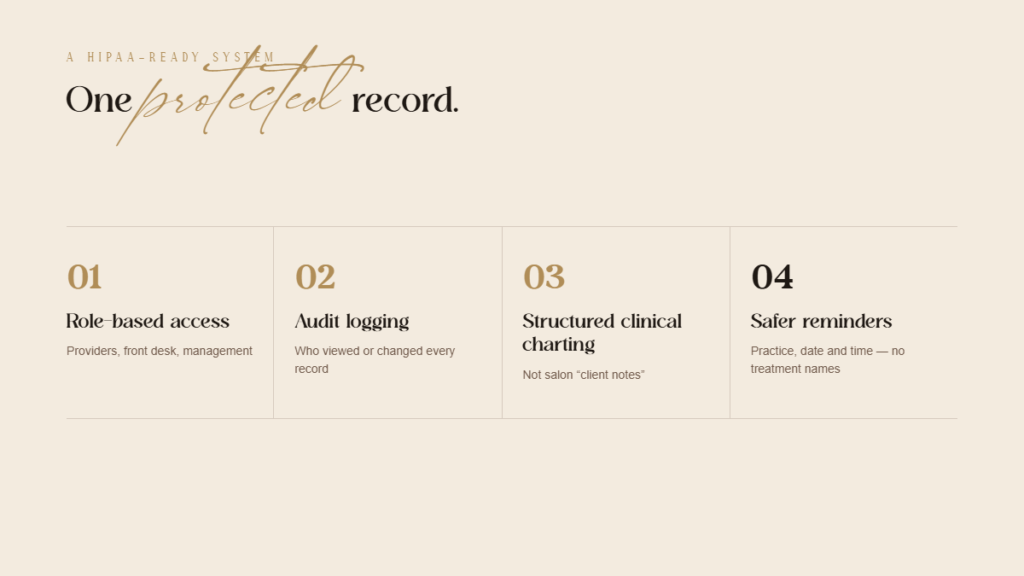
Staff access limits: Generic systems give all employees identical access, violating rules requiring role-based permissions.
Activity tracking: Standard software fails to track who opened or modified client files, missing mandatory security logs.
Audit logs: Generic apps rarely track who viewed or edited records, missing essential tracking required by the HIPAA Security Rule.
Data scrambling: MedSpas require secure encryption to scramble sensitive information in transit and in storage.
Clinical notes: Standard salon applications lack structure for logging dosages, lot numbers, settings, or digital signatures.
Clinical notes: Salon software lacks structure for tracking dosage, product lot numbers, device settings, or practitioner signatures.
Photo storage: Saving patient photos on unencrypted personal devices or shared drives exposes practices to major privacy breaches.
Are Appointment Reminders a Compliance Risk?
The bottom line: Text alerts are permissible, but message details must remain strictly minimal to safeguard client privacy.
Safer reminder practices:
- Use the practice name, date, and time without naming the treatment
- Avoid clinical details in SMS, which is generally not an encrypted channel
- Document patient communication preferences, including consent to receive texts
- Use compliant software backed by a signed privacy contract for messaging
What Are the Consequences of Getting It Wrong?
Severe penalties: Federal health privacy fines accumulate rapidly and can exceed $2 million annually.
Public disclosures: Data leaks mandate formal notifications to impacted clients, federal authorities, and potentially local news media.
Reputational loss: Privacy incidents destroy patient trust and damage practice reputation far beyond financial fines.
State laws: Local state privacy regulations create additional compliance risks alongside federal mandates.
What Features Does a MedSpa Platform Need?
- Signed vendor contract guaranteeing legal health privacy compliance
- Role-based access permissions tailored for clinicians, receptionists, and management
- Automatic activity tracking to log who views or updates records
- Data scrambling during transmission and storage
- Integrated clinical charting with structured treatment documentation
- Secure photo capture and storage within the patient record
- Digital intake and consent stored directly in the chart
- Secure two-way messaging with configurable reminder content
The Bottom Line
Why it matters: Generic tools are designed for hair salons, not medical practices. Operating without proper contracts, role permissions, or security tracking exposes MedSpas to immense liability.
Go deeper: Switching to a HIPAA-compliant platform combines appointments, chart notes, consents, and messaging into one secure workflow. Always consult legal counsel to review specific compliance requirements.
ready to grow & scale











more
about us
For brands looking for a branding, website and social media facelift...
The Aesthetic Website

learn more
For brands looking to SCALE & GROW their existing aesthetic business with more booked appointments...
The Aesthetic Accelerator

learn more
The client retention app for brands looking to maximize their client lifetime value and increase member retention
Juvvia




we are the creators of



REQUEST BETA ACCESS
follow us
chat with us
A data-driven performance marketing agency dedicated to helping aesthetic businesses scale and grow...
We Are LeadShark System

learn more

