Advanced Schema for MedSpas: How to Make Your Services Machine-Readable for Google
What to Know
- Google cannot read a page the way a human can. Schema markup is machine-readable code that tells it exactly what your services are, what they cost, and what questions they answer.
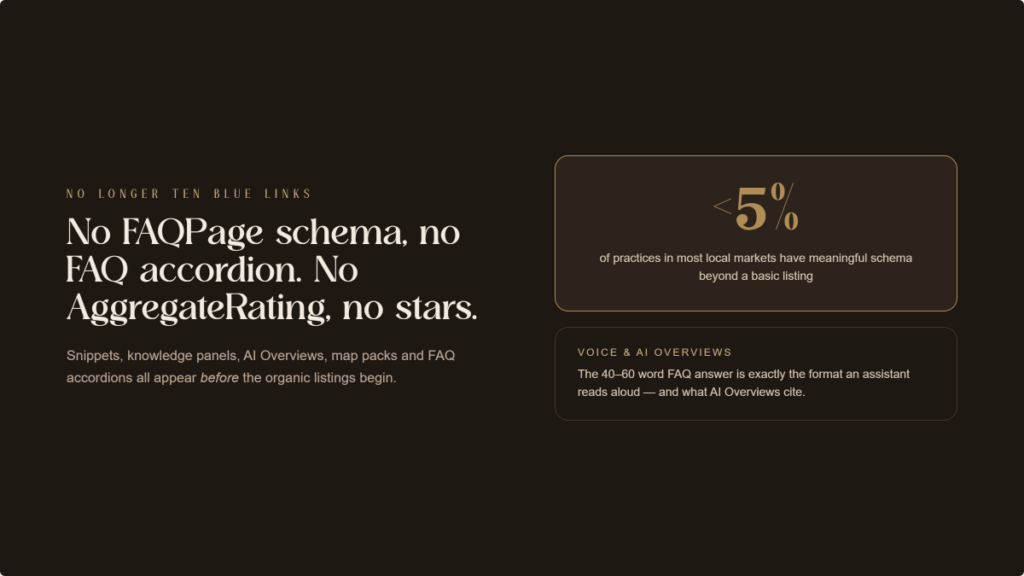
- In most local MedSpa markets, fewer than 5% of practices have meaningful schema beyond a basic business listing. The competitive gap is wide open.
- Schema markup is what enables FAQ accordions, star ratings in search results, AI Overview citations, and voice search answers. Without it, a practice is invisible to these formats.
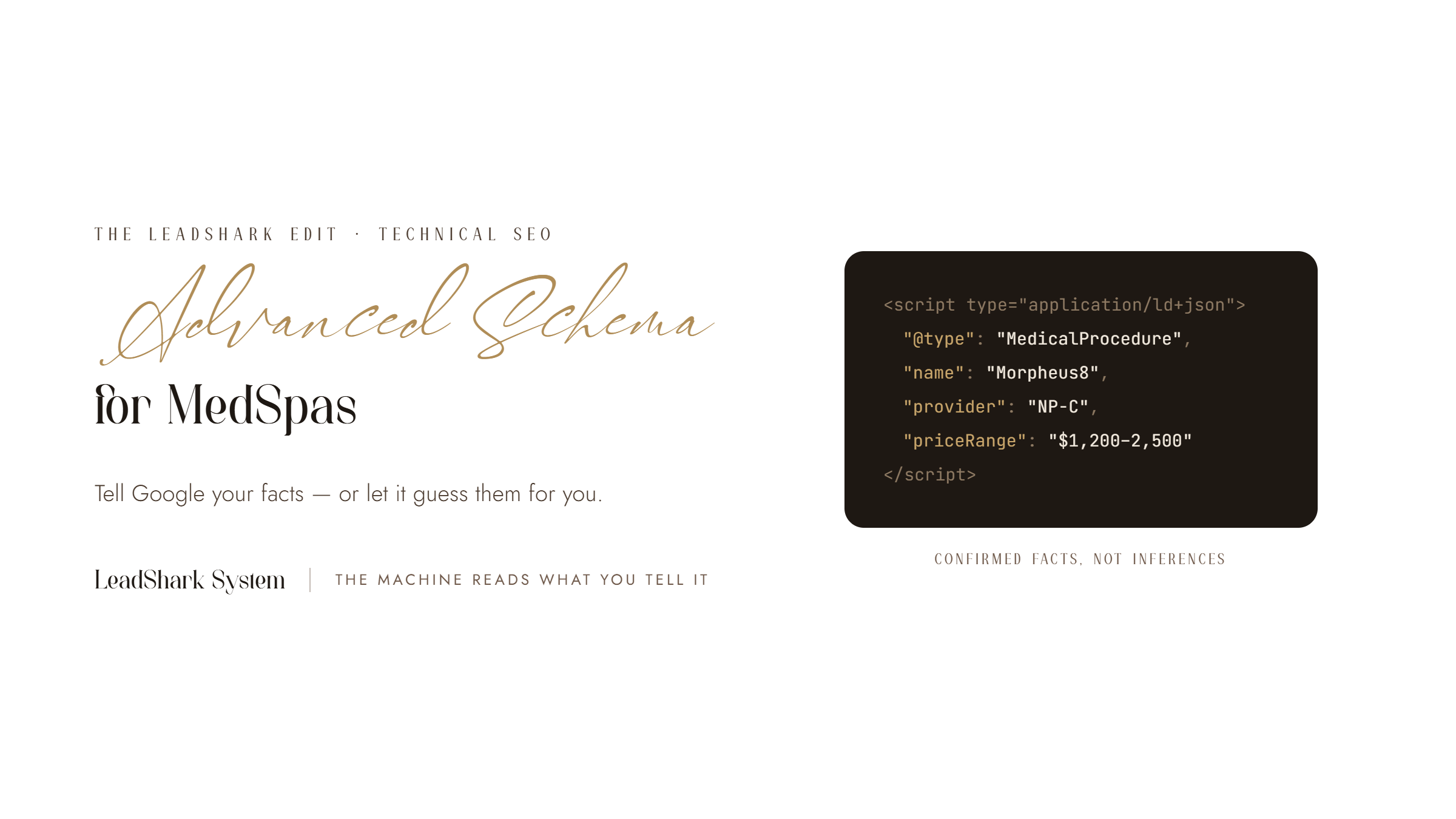
A human visits a Morpheus8 page and immediately understands: this is a skin tightening treatment, this practice offers it, there are before/after photos. Google reads signals. Without smart labels telling it what kind of service the page describes, what it costs, and who administers it, Google makes educated inferences rather than reading confirmed facts. Simple website code provides confirmed facts.
Why Do Smart Labels Matter in 2026?
The Reality: Search results are no longer just a list of links. Google now prioritizes AI summaries, star ratings, and local map packs at the top of the page.
The Bottom Line: Practices using simple website code appear in these high-value spots. Those that don’t stay buried in standard listings, missing out on most clicks and calls.
What Is Schema Markup?
A digital cheat sheet. Schema is code that translates your website content into clear, confirmed facts for Google. It removes the guesswork, telling the search engine exactly what you offer and what it costs.
Which Label Types Matter Most for MedSpas?
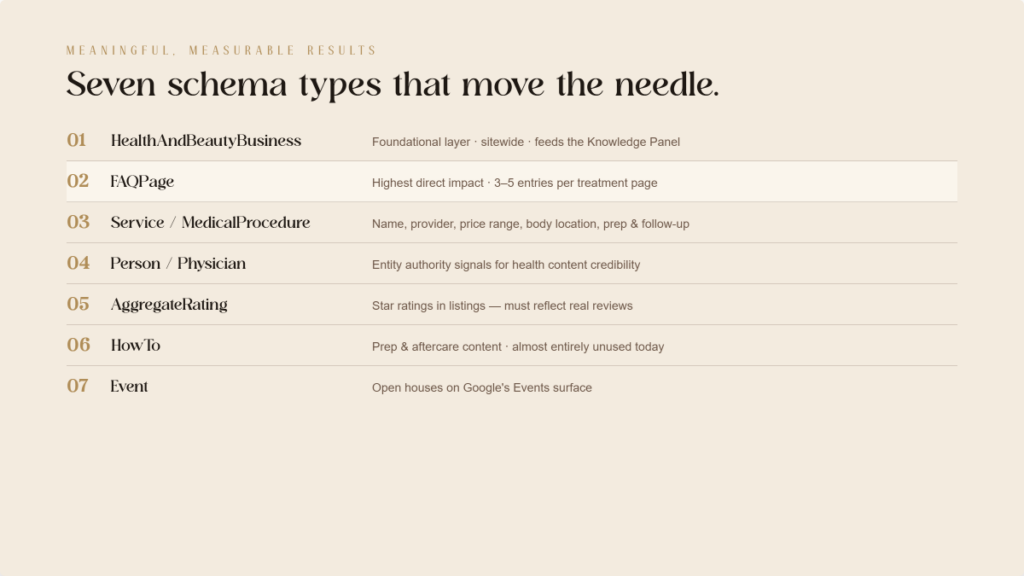
Seven types produce meaningful, measurable results. In order of implementation priority:
- Your Business Basics. The foundational layer. Confirms business name, address, phone, hours, price range, service area, and payment methods. Feeds the Knowledge Panel and reinforces local signals. Implement this in your website settings.
- Common Questions. The highest direct impact. Marks up question-and-answer pairs on a page, making them eligible for FAQ dropdowns directly under an organic listing. For voice search and AI answers, these labels provide pre-formatted answers systems extract directly. Every treatment page should have three to five FAQ entries.
- Treatment Details. Describes a specific treatment: name, description, provider, location, price range, body location, preparation, and follow-up instructions. Confirms exactly what is being offered and makes content eligible for treatment-specific rich results.
- Provider Profile. Describes providers: name, credentials, job title, affiliation, medical specialty. Builds the trust signals Google uses to assess health content credibility.
- Star Ratings. Marks up review data (star rating and review count), making it eligible for star rating display in search results. Listings with visible star ratings consistently outperform others. Must reflect actual patient reviews.
- How-To Guides. Describes a process with sequential steps. Applies directly to preparation and aftercare content: “How to Prepare for Your Morpheus8 Treatment.” Makes content eligible for step-by-step results.
- Events. Marks up events: open houses and promotional evenings. Makes listings eligible for Google’s Events surface in search and Maps.
How Do You Add Common Questions Labels?
We can provide a simple snippet of code for your developer to add to your site to make this work. Write questions exactly as patients would type or speak them, not in marketing language.
Behind the scenes: You don’t need to manage this code yourself. Simply provide your developer with a list of your most common patient questions and clear, concise answers. Here is the format they need to follow:
- Question: How many Morpheus8 treatments do I need?
- Answer: Most patients see improvement after one to two sessions, with optimal results after a series of three treatments.
- Question: How long does Morpheus8 last?
- Answer: Results typically last one to three years, depending on your skin and lifestyle.
- Question: What is the downtime after Morpheus8?
- Answer: Most patients experience mild redness and swelling for two to five days.
Give this simple list to your web team, and they can apply the “labels” so Google recognizes these as your official answers.
Each question in this block is a candidate for the FAQ dropdown result. Each answer is a candidate for voice search and AI extraction.
How Do You Add Treatment Details Labels?
We can provide a simple snippet of code for your developer to add to your site to make this work.
Providing a price range matters. When Google surfaces information in AI summaries or service cards, price data is among the first attributes pulled. A practice with pricing labels is more likely to have its investment information surfaced before the patient even clicks.
How Do Smart Labels Connect to AI Search and Voice?
The relationship between schema and AI-powered search is direct and growing.
Google’s AI Overviews synthesize information from multiple sources to answer complex queries. When a patient asks “What is the best treatment for skin tightening after weight loss?” the AI pulls from pages with smart labels. FAQ labels with a well-formed answer are more likely to be cited than an equally well-written page with no labels.
For voice search, the mechanism is the same: the assistant reads the answer aloud. The answer is most often drawn from question-and-answer labels. A simple, direct answer in your code is optimized for exactly the format a voice assistant reads.
As AI features expand across Google’s search experience, practices with comprehensive labels will appear with increasing frequency. Practices without them continue appearing only in standard listings, which represent a declining share of search results.
How Should a MedSpa Prioritize Implementation?
Four phases, sequenced by patient search intent.
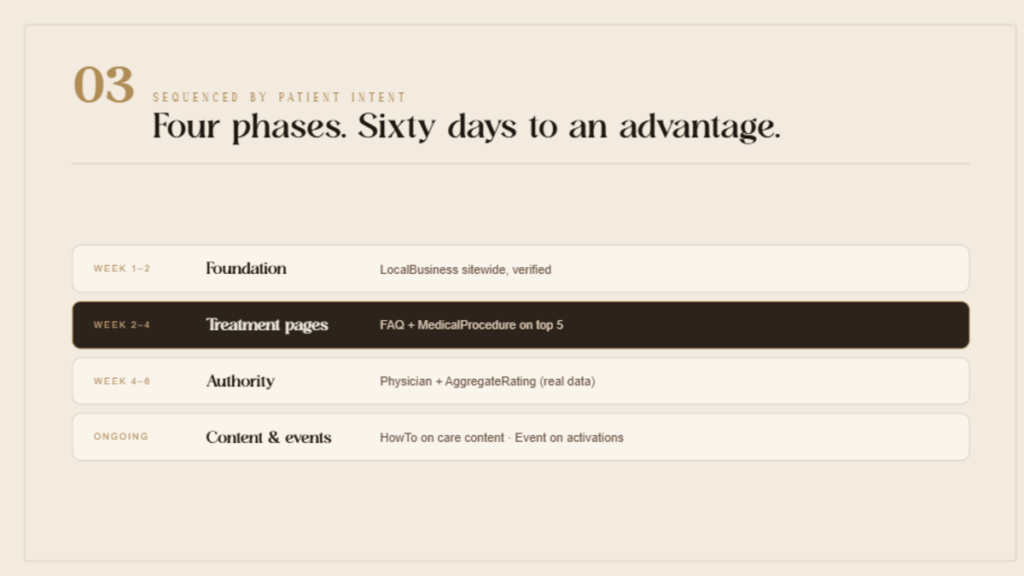
Phase 1 (Week 1 to 2). Implement basic business labels for your location. Confirm name, address, phone, hours, and price range are accurate and complete.
Phase 2 (Week 2 to 4). Add question labels to the top five treatment pages. Include name, description, and price range details for each treatment.
Phase 3 (Week 4 to 6). Add profile labels for each named provider. Add star rating labels using actual patient review counts.
Phase 4 (Ongoing). Add how-to labels to preparation and aftercare content. Add event labels for practice events and open houses.
What Mistakes Are Costing MedSpas Search Visibility?
- Inaccurate info. Listing hours or addresses that don’t match your Google Profile confuses the system and hurts your visibility.
- Marketing fluff. Writing FAQ questions like an ad prevents them from showing up. Use the simple, direct language patients actually type.
- Fake ratings. Fabricating star counts is a major violation. Google will penalize your site if your data doesn’t reflect real patient reviews.
- The Homepage Trap. Only putting code on the homepage is a missed opportunity. Every specific treatment page needs its own smart labels.
- Skipping the test. Simple errors in the code can stop it from working entirely. Always use Google’s testing tool to confirm everything is live.
The Bottom Line
Smart labels don’t directly boost organic rankings. What they do is make the practice eligible for the search formats that generate more clicks, more visibility, and more trust than standard listings produce.
The implementation gap in the MedSpa category is larger than in almost any other healthcare area. The barrier isn’t technical complexity. This simple code is straightforward to implement on any website in a single work session. The barrier is awareness.
The practice that completes the four-phase implementation in this guide will have a structured data advantage over virtually every competitor in its local market within 60 days. That advantage compounds as Google’s AI-powered features continue to expand.
The machine reads what the practice tells it. Tell it everything.
ready to grow & scale











more
about us
For brands looking for a branding, website and social media facelift...
The Aesthetic Website

learn more
For brands looking to SCALE & GROW their existing aesthetic business with more booked appointments...
The Aesthetic Accelerator

learn more
The client retention app for brands looking to maximize their client lifetime value and increase member retention
Juvvia




we are the creators of




REQUEST BETA ACCESS
follow us
chat with us
A data-driven performance marketing agency dedicated to helping aesthetic businesses scale and grow...
We Are LeadShark System

learn more

